How MES-CFC-4PRO Transforms Traditional Fan Control into Smart KNX Automation
Walk into most smart homes today and something odd happens the moment you look up. The lights respond to a voice command. The curtains know when to close. And then there’s the ceiling fan, still stuck on an old-style wall regulator, completely left out of the smart home automation system around it.
That gap is easy to miss until you’re the one planning the system. Lighting is smart. Curtains are smart. The fan? Still working the old-fashioned way, waiting for someone to walk over and turn a dial.
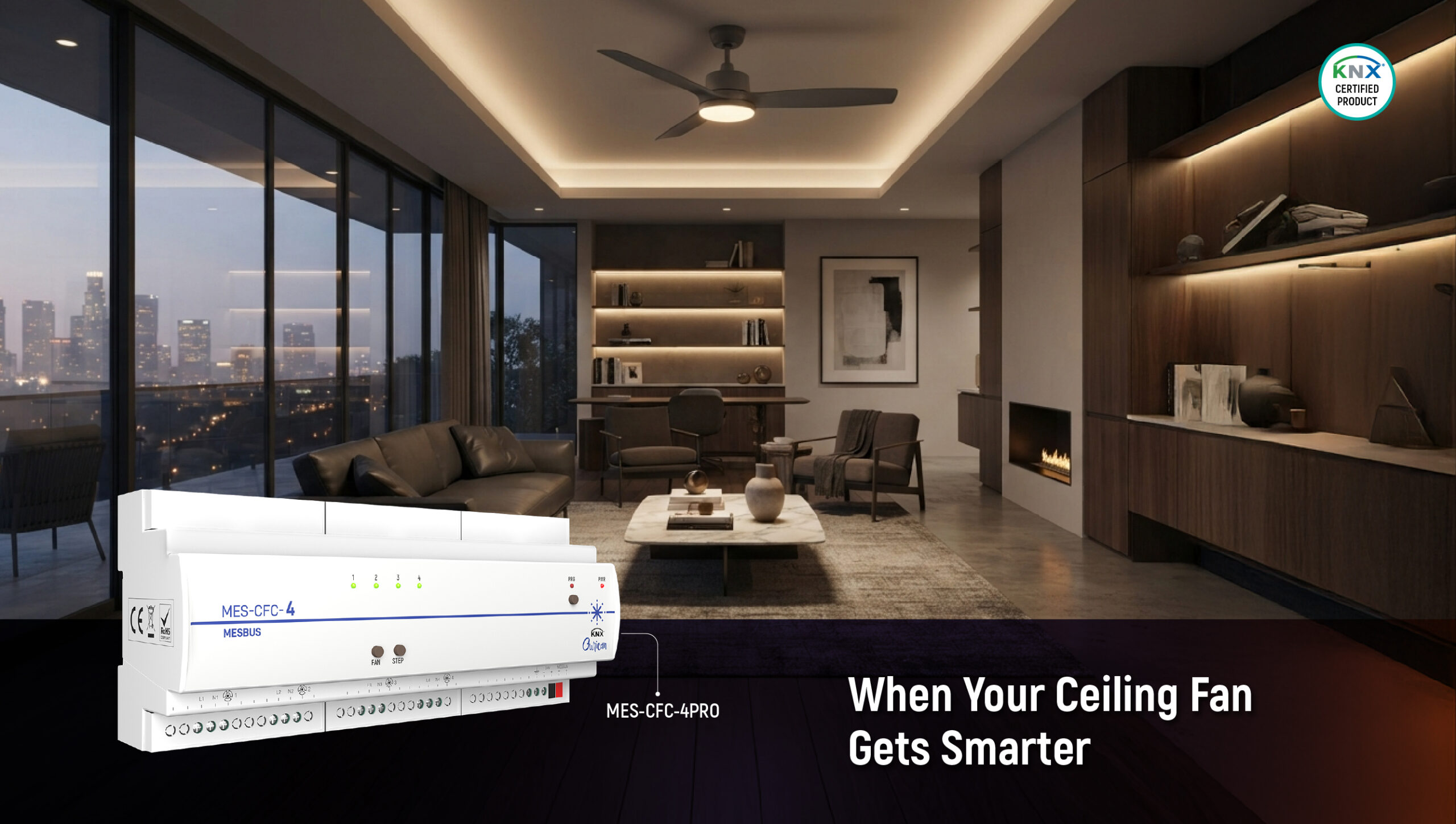
Ourican built the MES-CFC-4PRO to fix exactly that. It’s a KNX ceiling fan controller that brings fan speed into the same smart home automation system as everything else in the room, no separate remote, no separate app, no separate way of thinking about it.
Why This Matters for KNX Home Automation
A normal fan regulator does one job, and nothing more. It doesn’t know when a scene has been set. It doesn’t remember its last setting after a power cut. And in a home with several fans, each one needs someone to walk over and adjust it by hand.
That’s fine on its own, until the rest of the home is automated around it. In a proper KNX home automation setup, lighting, curtains, and air conditioning already talk to each other. A fan that can’t join that conversation starts to feel like the one thing nobody upgraded.
What Makes the MES-CFC-4PRO Different
This one controller manages four ceiling fans independently, and each fan gets its own 5-speed range. That means the bedroom can run on speed 2 while the living room runs on speed 4, no shared settings, no compromise.
Because it’s built for KNX, fan speed can be part of a scene, just like lighting, and this is really where the fan stops being a separate device and becomes part of how the whole home behaves.
Think about the moments that already happen in a smart home every day, and what a fan could naturally do in each one:
Entry” scene: Walk through the front door, and the lights come on, the AC starts cooling, and the fan can kick in at a comfortable speed automatically, so the room feels ready the moment you step in
“Exit” scene: Leave the house, and everything switches off together– lights, AC, and every fan, instead of someone having to check each room on the way out
“All On” / “All Off”: One command to bring every fan (and everything else) to a set state at once, useful at the start or end of the day
“Movie Night”: Lights dim, and the fan can drop to a low, quiet speed so it doesn’t compete with the sound in the room
“Good morning“: Lights, curtains, and fan speed can all ease up together, rather than each needing a separate action
None of these is separate systems bolted together,they’re all just outcomes of the fan being on the same KNX network as everything else. The controller supports 10 saved scenes, so this isn’t a one-time trick,it’s a real, everyday part of how the home runs, and it scales to however many different moments a household actually needs.
It's also built to make an electrician's job easier:
No separate power supply needed; it takes power straight from the same KNX wiring already running through the home
Simple panel mounting, so it sits neatly with the rest of the automation hardware
A manual button on the device itself, so there’s always a way to control the fan by hand if needed
Built to handle everyday conditions, including Indian summers, without issue
Keeps its settings even after a power cut, no resetting everything from scratch
One thing worth knowing upfront: this controller is made for regular AC ceiling fans, up to a certain power load per fan. It isn’t meant for exhaust fans, BLDC fans, pedestal fans, or table fans, so it’s worth checking fan type before the project starts, not after.
Where This Fits in Real Homes and Buildings
In a luxury home, one MES-CFC-4PRO can easily cover a living room plus two or three bedrooms, with an add-on module available if a project needs more fans down the line.
In a hotel, fan speed can respond to the same automation as everything else in the room, check-in, do-not-disturb, room turndown, while the manual button keeps things simple for housekeeping staff who don’t need to understand KNX at all.
For real estate developers building KNX-ready apartments, not needing extra power wiring for each fan saves real time and cost across a multi-unit project.
The Bigger Picture
None of this sounds exciting on its own. A fan controller was never going to be the star of a smart home pitch. But real comfort in a smart home usually comes down to small, unglamorous devices like this one, working correctly, every single day, without anyone having to think about them.
Paired with the Ourican View app, all four fans, their speeds, their scenes, their schedules, sit right alongside the rest of the home’s controls. The fan finally becomes part of the smart home automation system it’s spinning inside.
See the full details for the MES-CFC-4PRO, or get in touch with the Ourican team to talk through your KNX home automation project.
The MES-CFC-4PRO is a 4-channel KNX ceiling fan controller that integrates AC ceiling fans into a KNX home automation system. It allows fan control to work alongside other automated functions such as lighting and scenes.
How many ceiling fans can the MES-CFC-4PRO control?
The MES-CFC-4PRO can independently control four ceiling fans. Each fan has its own control channel, so different fans can operate at different speed levels.
How many speed levels does the MES-CFC-4PRO provide?
The MES-CFC-4PRO provides up to five speed levels for each connected fan, allowing individual fan-speed control within the KNX system.
Can the MES-CFC-4PRO be included in KNX scenes?
Yes. The MES-CFC-4PRO supports 10 scenes, allowing fan speed to be included in predefined automation scenarios such as Entry, Exit, Movie Night or Good Morning scenes.
Can the MES-CFC-4PRO be controlled manually?
Yes. The controller provides manual operation through a push button with LED indication, giving users a local control option when required.
What type of fans can be used with the MES-CFC-4PRO?
The MES-CFC-4PRO is designed primarily for AC ceiling fans, with a recommended maximum load of 90 W per channel. It is not intended for BLDC, pedestal, table or exhaust fans.