Transforming Modern Spaces with Intelligent KNX Keypad Solutions
For all the automation happening behind the walls of a smart home, the part a person actually operates every day is still a physical button on the wall. Getting that interface right — both in how it looks and how it behaves electrically — matters more than its size suggests. Here’s a precise, engineering-level look at how KNX keypads actually work, and how Ourican’s OKS-ELITE-6 and MES-OKS-Elegance differ.
How a KNX Keypad Actually Works
A KNX keypad does not switch a load directly. Pressing a button triggers the keypad to transmit a KNX telegram onto the bus, addressed to a specific group address. Any device on the bus configured to respond to that group address — a lighting actuator, a fan controller, a shutter actuator — executes the command. The keypad itself never carries load current; it’s purely a bus device sending commands.
So the actual signal path is:button press → KNX telegram transmitted on the bus → receiving device(s) with matching group address execute the command → connected load responds. The keypad is the input device in this chain, not the switching device.
This is also why keypad function is entirely configuration-driven. A button isn’t hard-wired to “control the living room light”; it’s assigned, during commissioning through ETS (the KNX configuration software), to send telegrams to whichever group address the designer defines. The same physical button could just as easily control a fan, trigger a lighting scene, or send a shutter command, depending purely on how it’s programmed.
Why Fixed-Function Switches Don't Scale
A conventional mechanical switch is hard-wired to one circuit. Once a room needs more than one function controlled from a single location — lighting, curtains, a fan — a fixed-function switch requires one physical switch per circuit, which quickly turns into a cluttered wall plate with multiple gangs.
A KNX keypad avoids this because each button is an independent, freely-assignable input. A single 6-button keypad can be commissioned to control six entirely different group addresses — or fewer functions with more buttons dedicated to scene recall — without any change to the wiring itself. Reconfiguring what a button does is a software change through ETS, not a rewiring job.
This same logic is what makes scene control possible. A “scene” in KNX terms is simply one group address (or one internal scene number) mapped to a pre-defined set of output states across multiple devices. Pressing one button to dim the lights, adjust fan speed, and close the curtains together works because a single telegram triggers a v
OKS-ELITE-6 vs. MES-OKS-Elegance: Two Different Form Factors, Same Bus Behaviour
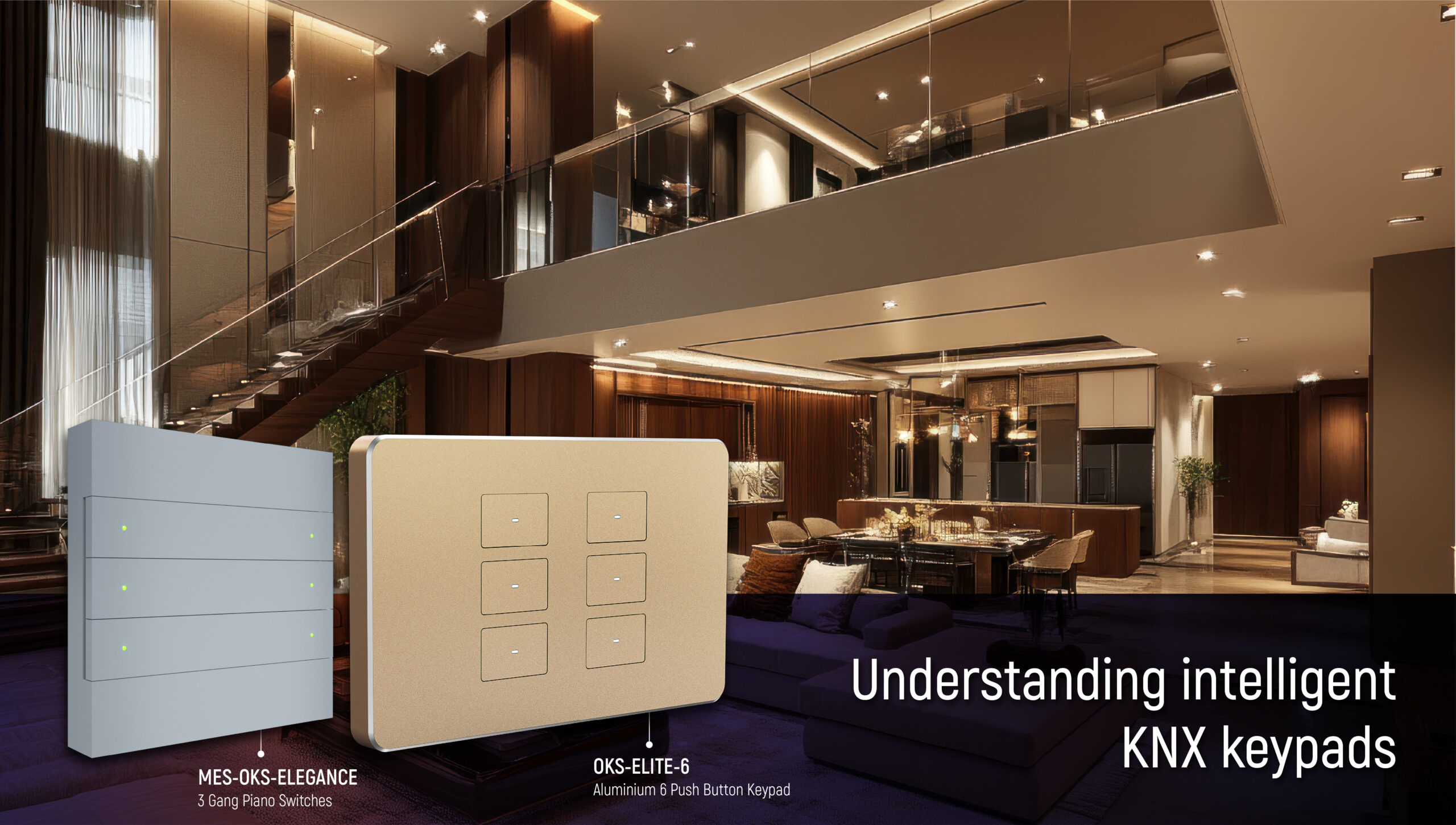
OKS-ELITE-6 is a bus-powered push-button sensor housed in a machined aluminium plate, available in Black, Silver, Gold, and Rose Gold finishes, with LED status indication per button. It draws its operating power directly from the KNX bus — no external power supply or additional wiring is required beyond the standard bus connection. Buttons can be configured individually or in paired mode (two adjacent buttons functioning as a single up/down or dim pair), and it supports lighting, shading, and scene-recall functions. Because its group address assignments and parameter configuration are stored in non-volatile memory during ETS commissioning, the device retains its full configuration after a bus power interruption — no re-commissioning is required after a power cut.
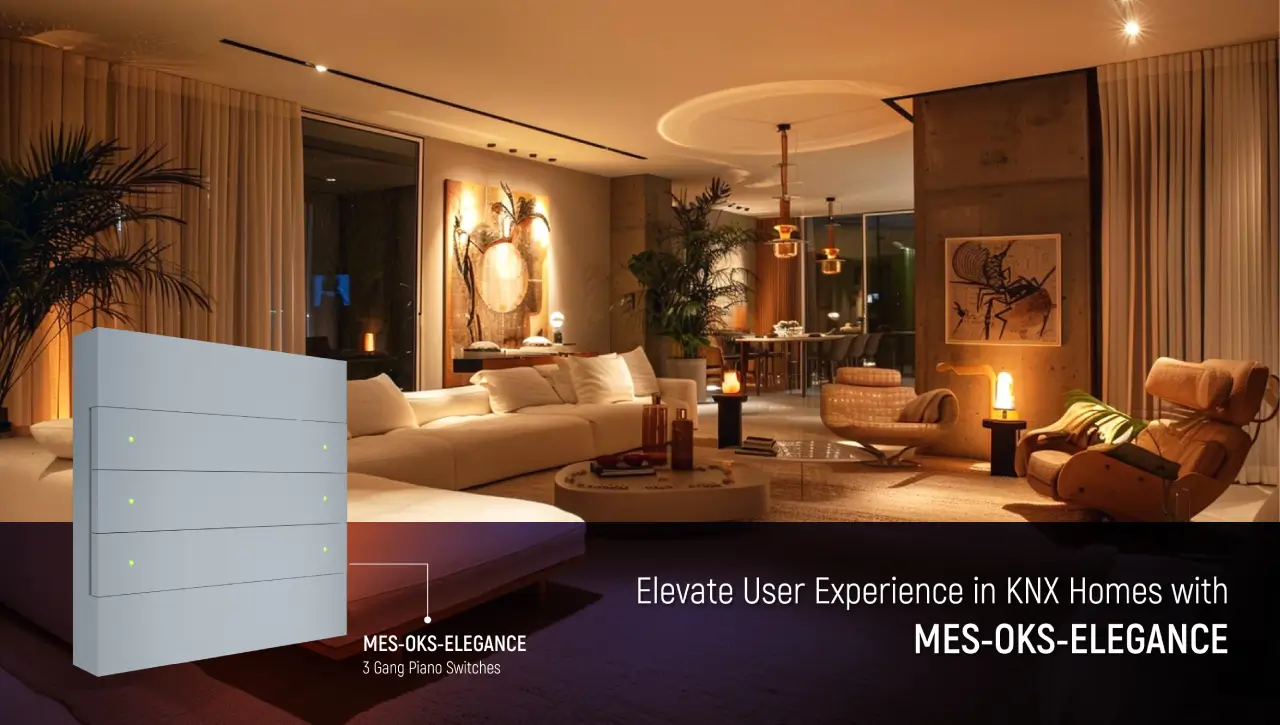
MES-OKS-Elegance is a 3-gang, 6-button piano-style keypad — the same familiar physical layout as a traditional rocker switch plate, built as a bus device rather than a mechanical switch. Like the ELITE-6, it’s bus-powered and retains its configuration in non-volatile memory. Each button supports a switch/dim function: a short press transmits a switching telegram (on/off), while a press-and-hold transmits a dimming telegram for as long as the button remains pressed, stopping at the desired brightness on release. This is standard KNX push-button behaviour, and it’s what allows a single physical button to handle two distinct actions without a separate dimmer control. (The exact mapping of the 3 gangs to the 6 button functions should be confirmed against the current datasheet before specifying on a project — requires verification.)
Functionally, both devices behave identically as far as the KNX bus is concerned — they differ in physical form factor and finish, not in the underlying communication protocol or commissioning process.
Specifying the Right One
From an engineering and specification standpoint, the decision comes down to a few concrete factors, not aesthetics alone:
Wall-plate format required by the project. A single, minimal plate points to OKS-ELITE-6. A standard 3-gang layout, matching existing regional switch conventions, points to MES-OKS-Elegance.
Number of independently addressable functions needed at that location. Both offer 6 button inputs; the choice is about form factor, not functional capacity.
Finish and material requirements set by the interior design brief — aluminium finish options (ELITE-6) versus a piano-style plate (Elegance).
Commissioning approach. Both are configured identically through ETS, so there’s no difference in integration effort or programming time between the two.
Every KNX keypad, regardless of finish or form factor, does the same fundamental job: convert a physical button press into a KNX telegram on the bus, addressed to whatever group address a designer has assigned during commissioning. The OKS-ELITE-6 and MES-OKS-Elegance give integrators two physical form factors — a minimal aluminium plate or a familiar piano-style layout — to fit that same underlying bus behaviour into different interior design requirements.
A KNX keypad sends a KNX telegram to the bus when a button is pressed. The telegram is directed to a configured group address, and the relevant KNX device executes the programmed command.
2. What can an Ourican KNX keypad control?
Depending on its ETS configuration, a KNX keypad can control functions such as lighting, fan control, shading and scenes. The button function is determined during system commissioning.
3. Can KNX keypad buttons be programmed for different functions?
Yes. KNX keypad buttons are configurable through ETS. A button can be assigned to a different compatible function through software configuration without changing the physical wiring.
4. What is the difference between the OKS-ELITE-6 and MES-OKS-ELEGANCE?
The main difference is their physical form factor and design. The OKS-ELITE-6 uses a machined aluminium plate, while the MES-OKS-ELEGANCE uses a 3-gang, 6-button piano-style layout. Both operate as KNX bus devices.
5. Can one KNX keypad button activate a scene?
Yes. A button can be configured to recall a KNX scene. One scene command can coordinate multiple devices, such as adjusting lighting, fan speed and curtains together..
6. Do these KNX keypads retain their configuration after a power interruption?
Yes. The blog states that the OKS-ELITE-6 and MES-OKS-ELEGANCE store their configuration in non-volatile memory, allowing the configured settings to remain after a bus power interruption.